The Virtual Art Museum
A mobile app concept that helps users discover new art, explore exhibitions nearby, and personalize their museum experience.
UX/UI Design, Case Study
October - November 2023
Role: UX Researcher, UX Designer
Art discovery is fragmented across museum websites, making it difficult for casual users to know where to start or find work they connect with.
I designed a mobile app that centralizes discovery through a visual-first, personalized experience.
Context
While interest in art is high, many users feel overwhelmed in museum environments and instead rely on social media or online browsing to discover new work.
Existing platforms either focus on events or static archives, lacking a personalized and intuitive way to explore art based on individual taste.
Solution
A mobile app that combines location-based discovery, personalized recommendations, and visual browsing to help users find artists, exhibitions, and inspiration.
Focus
Make art discovery approachable for non-experts
Replace search-heavy exploration with visual, intuitive browsing
Consolidate fragmented museum and exhibition information into one platform
A survey was distributed to students and non-art peers across creative and non-creative fields
Shared via social media and group chats to capture a range of familiarity with art
Data
Overview
Research Methods
Quick scroll through of the Google Form sent out to my peers and posted on social media platforms.
Key Insights
High interest in art, but low confidence in how to explore it
Users struggle to know where to begin or find relatable work
Discovery is driven by social media and word of mouth
Traditional tools (like audio guides) feel passive and unengaging
Opportunity
Art discovery can be reimagined as a personalized, visual-first experience that reduces friction and helps users explore without needing prior knowledge.
How do you find out about exhibitions/museums?
Features Included
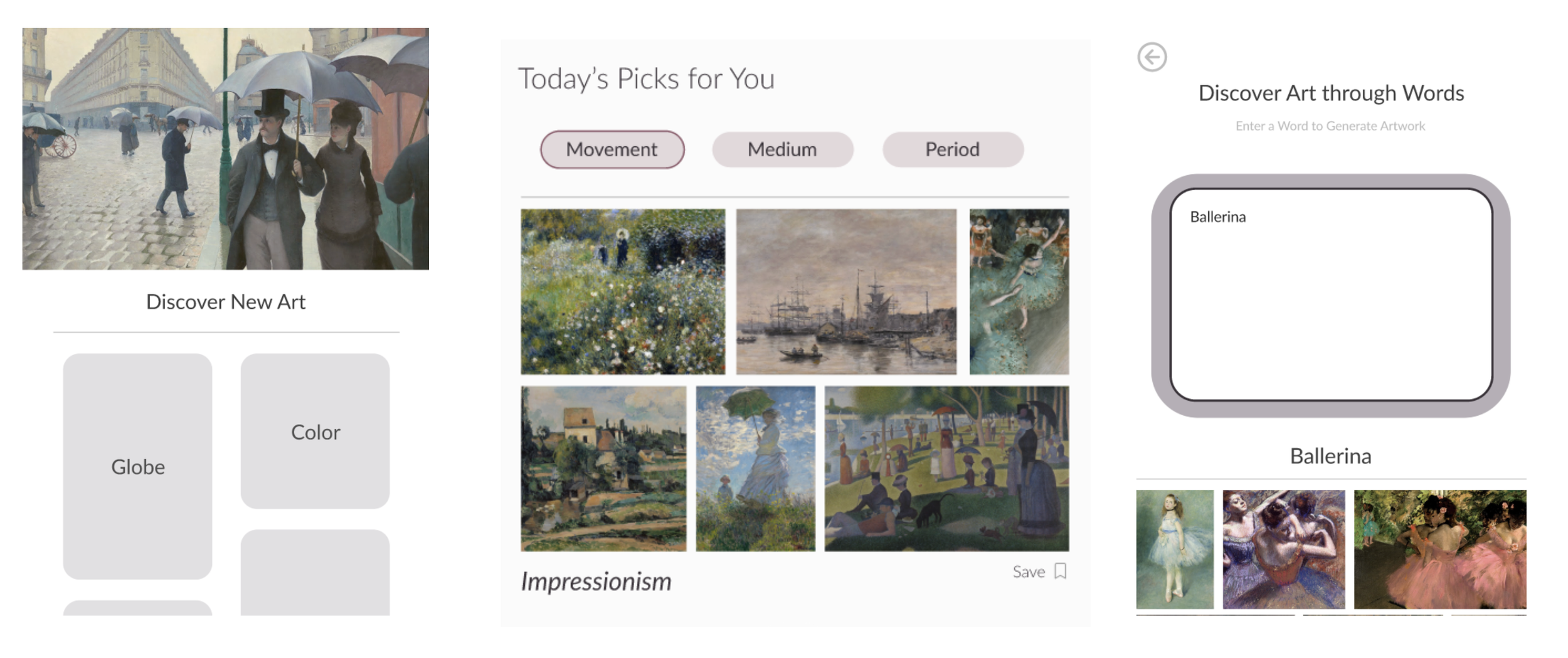
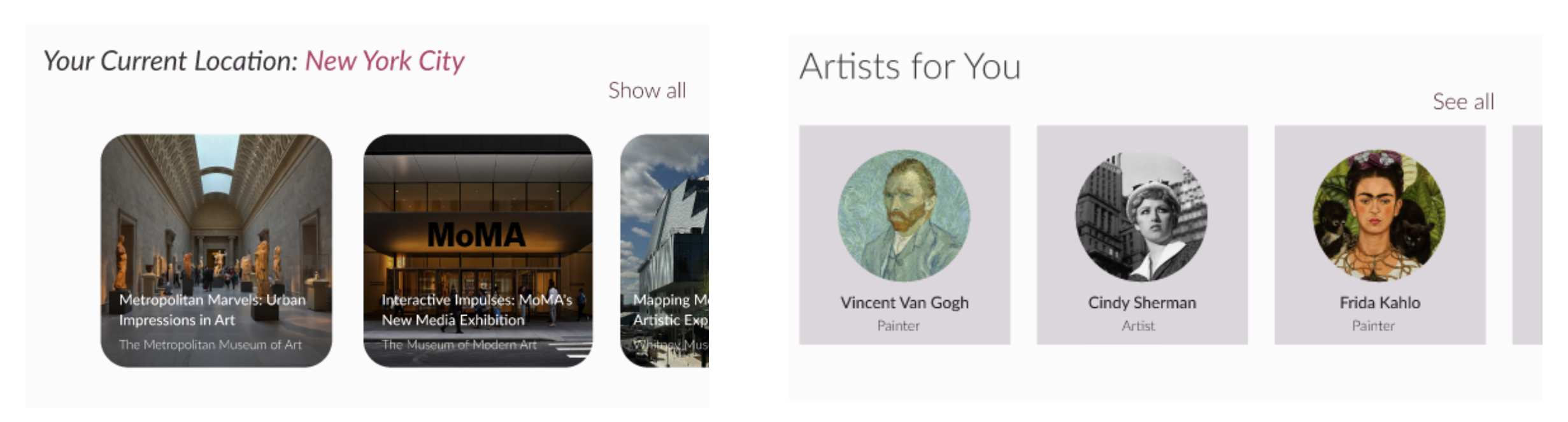
For You Feed
Personalized stream of artworks and exhibitions based on user interests.Scan Feature
Allows users to scan artwork in real time to access contextual information.Location Discovery
Map-based interface for exploring nearby galleries and exhibitions.Visual Filters
Users explore art through intuitive inputs like color, movement, and medium.
Most users discover exhibitions through word of mouth and social media.
Scanning feature for artwork recognition (Smartify)
Do you use audio guides/tour guides in person or via an app?
Audio guides are rarely used, reinforcing preference for visual exploration.
Competitive Analysis
Smartify
Strong: artwork scanning + clean UI
Weak: lacks personalization, discovery is search-based
SeeSaw
Strong: location-based exhibition discovery
Weak: limited to events, no deeper exploration
Opportunity
Combine location + personalization + visual discovery
Map-based gallery discovery (SeeSaw)
Design Direction
Initial wireframes explored how to translate art discovery into a mobile, image-first experience, focusing on simplified navigation and intuitive browsing patterns.
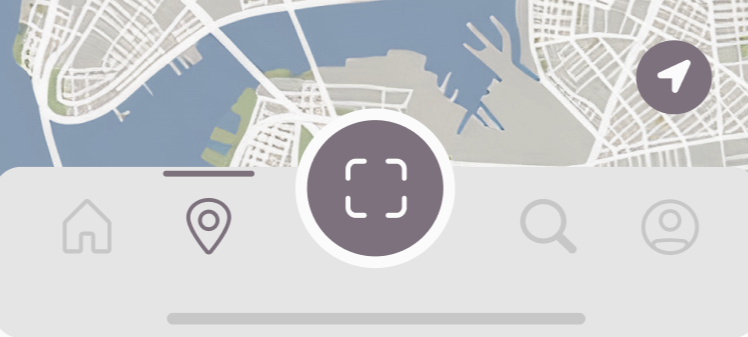
Bottom navigation simplifies access to core features (feed, map, scan, profile)
Layouts prioritize artwork over UI to maintain a gallery-like experience
Early concepts explored personalization, location-based discovery, and scanning
The visual direction translates inspiration from platforms like Pinterest and Spotify into an art discovery experience, combining gallery minimalism with personalized, visual browsing.
Visual Approach
Image-first layouts that prioritize artwork over interface
Minimal UI to replicate the feeling of moving through a gallery
Interaction
Inspired by Pinterest (saving, visual boards) and Spotify (personalized “for you” feeds)
Emphasis on browsing over searching to reduce friction for casual users
Personalization
Discovery driven by feeds, visual filters (color, medium), and recommendations
Visual inputs replace traditional text-heavy filtering
Color & Tone
Neutral base to keep focus on the artworks
Soft accents used to guide interaction
Wireframe
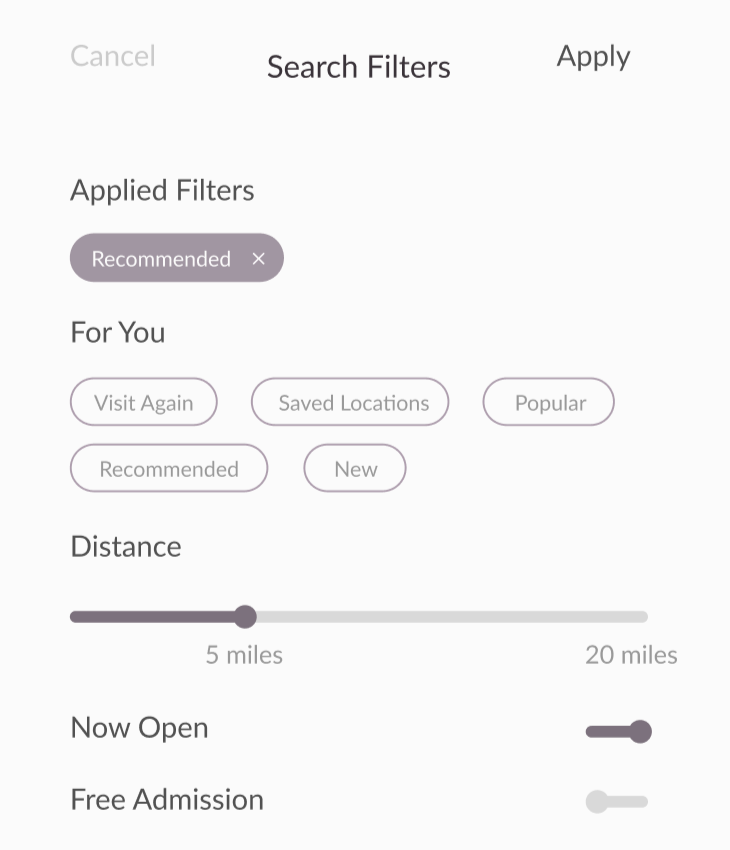
Final Prototype
Final interface translating research into a visual-first, personalized discovery experience.
Product and visual designer working between digital interfaces and physical media, with a focus on brand identity and narrative for creative fields.